



Abstract
Events caused by the COVID-19 pandemic have required second language (L2) educators to move away from face-to-face (F2F) lessons and adopt online teaching. Educators have utilized a range of online synchronous meeting tools (SMTs) to facilitate student learning. One of the popular, immersive and easy-to-use SMTs these days is Zoom. It includes several features, such as annotation tools, polls, breakout rooms and video and screen sharing. These functions facilitate communicative language learning through the use of authentic language instruction in interactive synchronous classes.
Keywords
Introduction
Events caused by the COVID-19 pandemic have required second language (L2) educators to move away from face-to-face (F2F) lessons and adopt online teaching. Educators have utilized a range of online synchronous meeting tools (SMTs) to facilitate student learning. One of the popular, immersive and easy-to-use SMTs is Zoom. It includes several features, such as annotation tools, polls, breakout rooms and video and screen sharing. These functions facilitate communicative language learning through the use of authentic language instruction in interactive synchronous classes.
Today’s language learners are used to the incorporation of technology into the learning experience and expect opportunities to engage and interact (Kessler, 2018). Studies have established that students can gain from increased motivation, linguistic output, participation and interaction during synchronous online teaching (Helm, 2015). However, teachers may not be fully prepared to teach online in real-time as it requires new digital competencies (Starkey, 2020). One such competency is utilizing and maximizing SMTs, such as Zoom. This tech review explores some of the challenges English language educators experience with synchronous online teaching and suggests ways that Zoom can help address them.
Utilizing Zoom for Online Synchronous Language Teaching
In F2F lessons, educators often observe paralinguistic cues to gauge students’ interest, understanding and engagement. These cues also aid student communication and comprehension. Zoom allows students to indicate through non-verbal icons when they have a question, show agreement or indicate if they want the teacher to speed up, slow down or take a break (see Figure 1). These icons can provide useful information regarding students’ attentiveness, excitement, agreement or confusion with the language content being presented. Nonverbal functions also allow the teacher to provide corrective feedback (Wang and Loewen, 2016). If the students have a query beyond those represented by ‘icons’, they can use the written chat function to ask a question privately or to the whole class. This can be particularly useful for learners who are afraid to show their confusion to the whole class or are nervous about their oral English. These modes of participation can aid students in developing their communicative competencies (Swain, 1985), as they need to select the most appropriate method to get their message across to the teacher and class. Depending on classroom discipline, ‘student-to-student’ and ‘send to all’ chats can be disabled while still maintaining a non-verbal private link between students and the teacher.
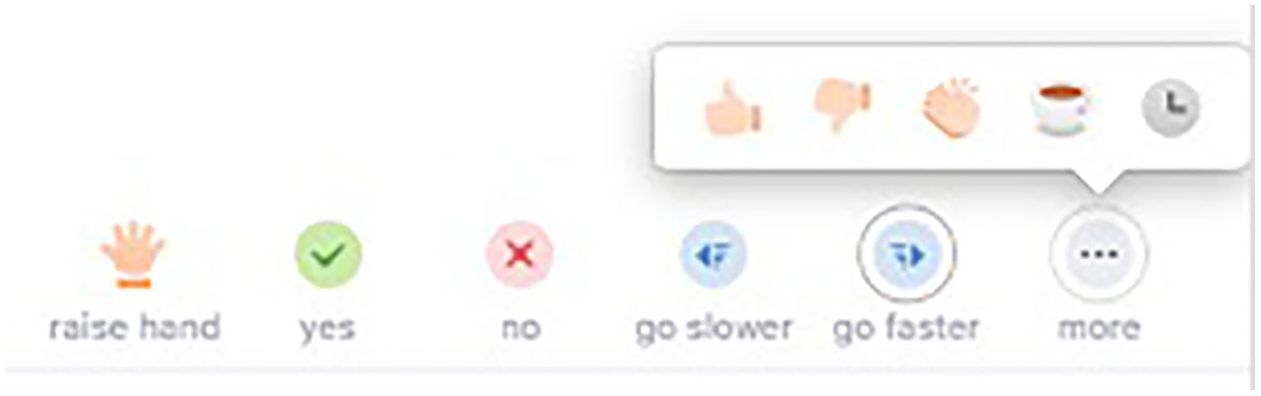
Non-verbal feedback icons.
Most SMTs allow for lecture-style sessions where the teacher provides monologues with little student interaction. This is mainly due to synchronous group work being harder to integrate and monitor on most platforms. Through using Zoom’s ‘breakout room’ function, teachers can create opportunities for students to use language productively, produce meaning-focussed output and engage in student-to-student interaction. Meaning-focussed output and student-to-student interaction are crucial to successful language learning (Nation, 2007). For example, students can be placed in small groups or pairs within a session to engage in spoken language practice, discussions and role-plays. In addition, when combined with other tools such as Google Forms and Google Docs, students can co-construct texts and complete language exercises in groups. This negotiation of meaning is ‘an important factor for successful L2 acquisition’ (Ellis, 1990: 16), as students are pushed to process language output (Swain, 1985). Teachers can assign students different roles to ensure they remain focussed, with someone nominated to share their product with the whole class. If students want additional time to complete group tasks, this can be indicated using the clock icon. Teachers can broadcast messages to the rooms, enter the rooms to monitor tasks and bring students back into the main meeting.
Teachers may struggle to keep learners engaged during a longer live online session. To address this, Zoom allows the teacher to integrate polls and surveys that can be used to engage learners and gather answers, perceptions and ideas from the class. These tools can be used for formative assessment – serving as entry and exit tickets to gauge what students already know about the content, or for the teacher to check students’ understanding before moving on. In addition, they can be useful for conducting language-focussed exercises with right or wrong answers, as the answer can be directly displayed, giving feedback to students and teachers on student understanding, and can be a catalyst for elaboration on linguistic features (Schmidt, 1990).
Zoom allows teachers and students to share browser screens synchronously (Figure 2), so teachers can incorporate student response systems, such as Mentimeter and GoSoapBox, to leverage the interactive environment and facilitate active learning (Moorhouse and Kohnke, 2020; Kohnke, 2019). For example, teachers could elicit vocabulary using a word cloud. Teachers can also play videos and audio files for meaning-focussed input and receptive listening practice activities.
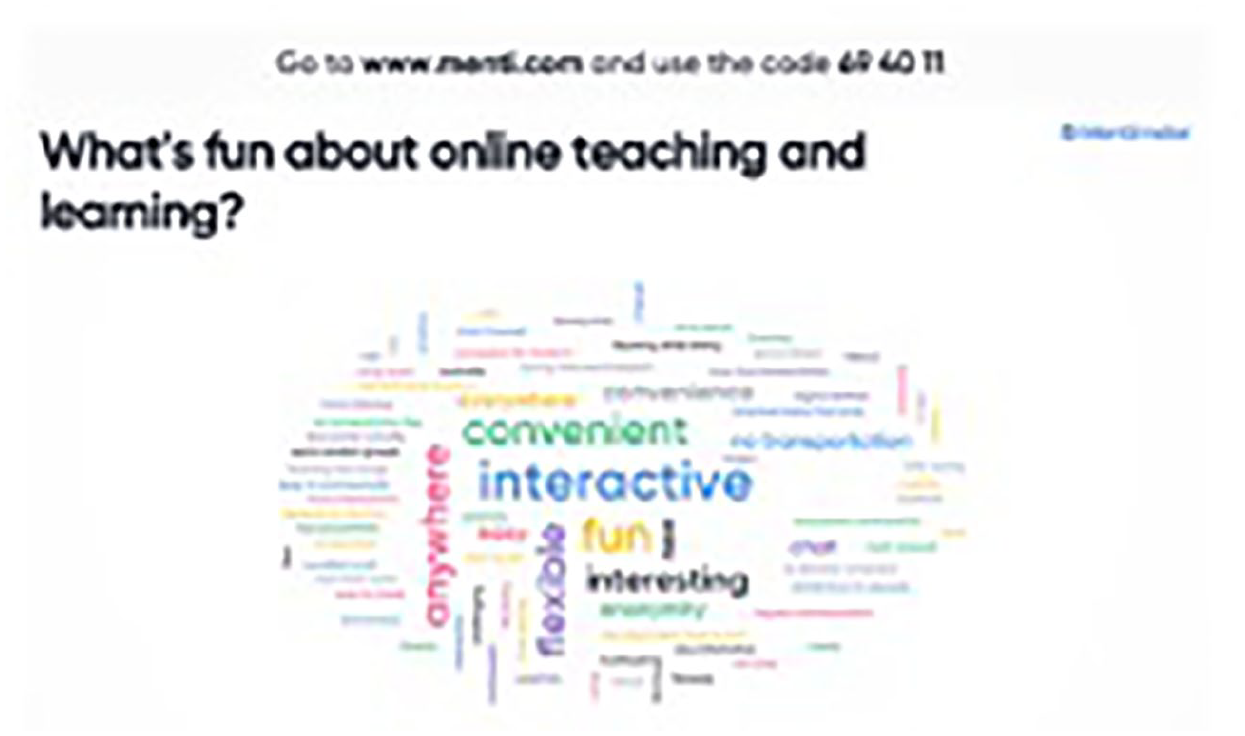
Shared browser screen – Mentimeter.
To substitute a physical classroom whiteboard, Zoom includes a number of annotation tools through its ‘screen share’ and ‘whiteboard’ function (e.g. text box, freeform draw/pen, stamps, shapes and highlighter; see Figure 3) that teachers can use to check student understanding. These are particularly helpful for learners to notice the mismatch between their language production and the target form (Schmidt, 1990; Swain, 1995). For example, the teacher can highlight cohesive devices in an essay, explain a grammatical concept or ask students to use the stamp feature to indicate parts of speech or underline stress in two-syllable words. These tools can be used in a whole-class setting and ‘breakout rooms’ by both students and teachers, promote participation, language production and reduce anxiety.
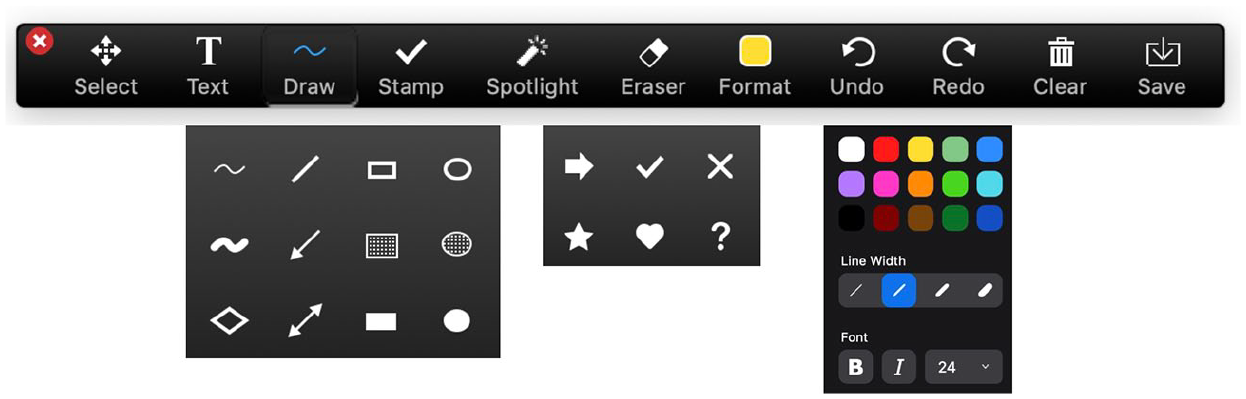
Annotation tools.
The built-in recording and transcription functions allow teachers to record the entire or short sections of a session, e.g. grammar presentations, assessment reviews or homework instructions for students who miss a class or want to review the lesson later. Students can be encouraged to take greater ownership of their language learning by reviewing the audio, video or chat recordings after the session.
Challenges in Using Zoom
Both authors have used Zoom for several months due to the cancellation of F2F classes. While Zoom has pedagogical benefits for language classrooms and teacher education, we have found, as with other SMTs, that it has limitations when contrasted to F2F lessons. For example, group discussions tend to take longer and are more challenging to monitor; students tend to be less willing to self-nominate themselves to respond to questions or provide opinions due to the lack of paralinguistic cues; with larger classes, it can be hard to observe learners’ engagement (Moorhouse, 2020); and students can get ‘screen fatigue’, making shorter sessions optimal. In addition, potential security issues exist, such as ‘zoombombing’, when someone intentionally hacks into a live session. To maximize security, use per-meeting ID, require a password, enable the ‘waiting room’ and disable options for participants to join before the host. Features to manage behaviour include muting all participants’ microphones, disabling the ‘share screen’ function for participants and removing participants.
Conclusion
When F2F teaching is not possible due to health emergencies or geographical distances between teachers and students, Zoom has enormous potential for second language acquisition, providing educators with a useful tool for formatively assessing learning, facilitating small group interactions, engaging learners and extending learning beyond the ‘traditional’ classroom. It can take time to become accustomed to all of the features of Zoom, especially ‘share screen’, so it is worth trialling it with colleagues before the first session with a class. However, we have found that students quickly adapt to Zoom, and by utilizing its multiple features, online delivery sessions can become interactive and dialogic.
Several versions of Zoom are available. The free version allows for 40-minute meetings and has limited features. There are several paid subscription versions which include features, such as, unlimited meeting length, hosting larger numbers of participants, cloud storage and assigning additional hosts. For more information on Zoom and its features, see https://zoom.us/
