




Abstract
QR codes are two-dimensional square patterns that are capable of coding information that ranges from web addresses to links to YouTube video. The codes save time typing and eliminate errors in entering addresses incorrectly. These codes make learning with technology easier for students and motivationally engage them in news ways.
Keywords
Mobile devices, such as the iPhone, iPad, iTouch, and similar products from various manufactures, have found their way into the classroom. Innovative educators are developing creative ways to incorporate this ubiquitous technology into students’ learning experiences. One technology innovation that works well with mobile devices is the Quick Response (QR) code. A QR code consists of black square dots arranged in a square grid on a white background. QR codes have been around since 1994. They were developed by Denso Wave, a division of the Japanese corporation Denso, in response to the 20 alphanumeric character limitation of the bar code that has been universally used on all products that are scanned by optical scanners on cash registers (Denso, n.d.).
Unlike the uni-dimensional bar code, the QR code is two-dimensional and is capable of coding more than 7,000 characters. Because of its added capacity, the code was quickly adopted by the automobile industry to track parts in the manufacturing process. In 2002, it became used extensively throughout Japan when mobile phones were marketed with QR code-reading features. QR codes have since gained universal popularity because Denso, while retaining the patent, kept the product as an open source code that anyone was allowed to use. Over time, the traditional black and white pattern has evolved into a variety of formats, such as the LogoQ, which uses color and can be comprised of images embedded into it. QR codes are quickly readable from any angle, thanks to the large square patterns on three of the corners. An error correcting capability allows up to 30% of the code to be damaged or missing without losing data (Denso, n.d.).
“QR codes make learning with technology just a little bit easier and have the potential to engage student learning, . . . visualizing in creative ways.”
QR codes can contain a variety of types of information. The most common use of the codes is to convey a web address. However, the versatility of these codes extents from links to YouTube videos to several paragraphs of text for students to read. Codes that contain web addresses, email addresses, links to YouTube video, and so on, save time typing in the address and eliminate the possible error of entering the address incorrectly. This is particularly useful for young children or individuals with motor challenges who find typing or copying an address difficult. Plain text codes are an easy system for students to transfer blocks of text for viewing onto their devices. Basically, the QR code allows students to access digital resources in fewer clicks (Barrett, 2011). The benefits of QR codes include the following:
Easy accessibility through Smartphones.
Safety—Takes students directly to the web page they want.
Simplicity—No long web addresses for students to make mistakes while copying.
Speed—No waiting for slow typing.
Ease of creation—It is easy to make QR codes and they are free to download from Smartphones, iOS devises, Androids.
Free to use—As they provide direct links to resources via the Internet, this saves on printing and photocopying costs (Leahy, 2013, p. 27).
QR codes also enable educators to create a greener classroom. Instead of making handouts, the teacher can project a QR code that contains the content of the handout. This saves paper and increases student interest in the content because of the technology involved (Miller, 2011).
Using QR Codes in the Classroom
To use QR codes in the classroom, students need a device with a camera to read them and an app to interpret the QR code image the device captures. Crafter is a free QR reader for the iPhone or iPad. The paid version eliminates the advertisements that the free version displays. The program will read codes that have been saved or will use the device’s camera to scan codes (see Figure 1).
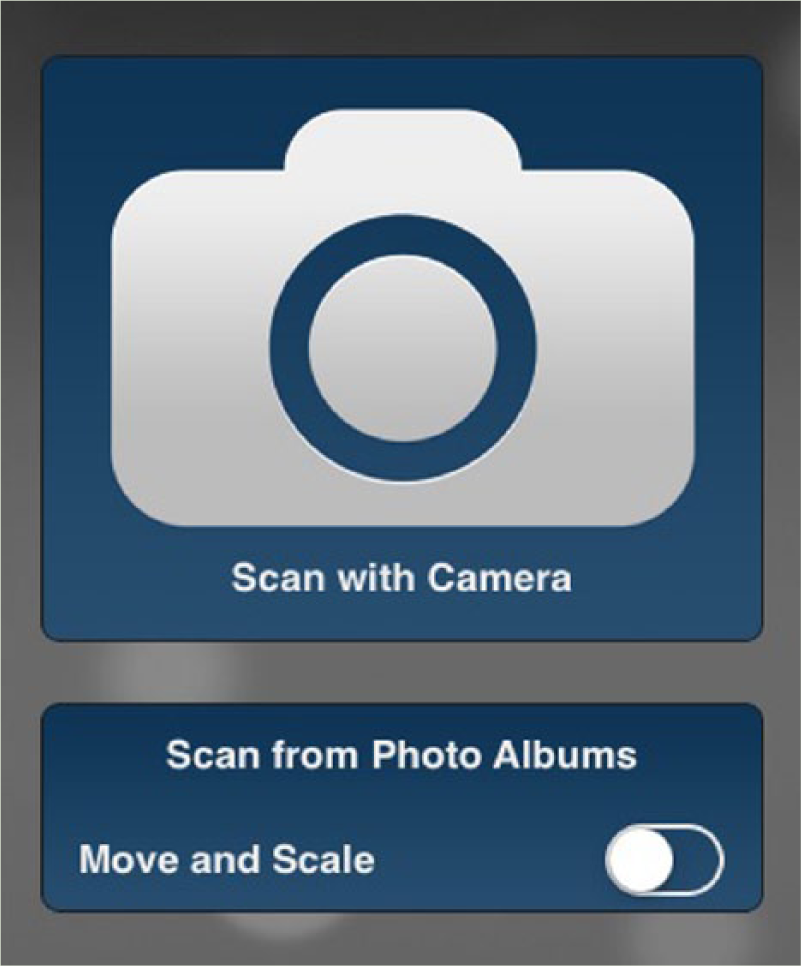
Crafter is a free app for scanning QR codes.
Mandy Fox at Hoover City Schools in Alabama used QR codes to differentiate content in the school’s outdoor classroom. QR codes are posted next to plants in the outdoor classroom. The codes contain text with information about the plant near the code. Students visit the outdoor classroom with their mobile devices, scan the codes, and read about the various plants. Because students from a variety of grades visit the classroom, the sophistication of the text needed to be differentiated. Simple text descriptions were saved as QR codes of one color, while more complex, in-depth text content was saved as a different color. Each plant might have several different color codes next to it with the text content of the colors differing in complexity. Younger students were instructed to scan one color, whereas older, more advanced students were instructed to scan a different color. The different levels were ideal for differentiating content. As an example of differentiation, the advanced content might be more appropriate for a gifted and talented second-grade student. That student would be told to scan the color associated with the more advanced content, whereas her peers would be instructed to scan the color associated with simpler content appropriate for that grade.
The concept behind the QR code use in the outdoor classroom can easily be applied to other learning situations. For example, biology instructors could attach codes to parts of a dissection model. The codes can provide directions or useful information for students as they complete a dissection (Miller, 2011).
The text feature of QR codes can be used in a variety of situations. Science teachers can provide instructions for using different pieces of scientific equipment. A sticker with a QR code can be placed on the equipment. Student can scan the sticker on the side of the equipment to read instructions for its use. Although printed instructions for using the equipment could be attached to equipment or placed near it, the QR sticker is less intrusive, requires less space, and will not be misplaced.
Teachers can support student self-assessment by embedding QR codes on student worksheets. The codes contain the answers to the worksheet questions. After completing the worksheet, students can check their answers by scanning the codes linked to the questions. This enables students to quickly identify their mistakes and seek help if they need it (Leahy, 2013).
Teachers can create extension activities through QR codes. For example, after studying a unit on some topic, an educator might create a variety of extension activities for students to explore. These could include viewing a YouTube video, visiting a website, or completing a practice exercise. Each of the activities can be QR code reproduced on a single sheet of paper. Students simply scan the code on the sheet for the activity they wish to pursue (Leahy, 2013).
Codes can be used to differentiate content or process for gifted and talented students. Gifted students can be provided codes that take them to a WebQuest or accelerated activity related to what they are learning (Robertson & Green, 2012). For educators who use learning centers, QR codes can also be used to differentiate the content and learning experiences of students as they work at the centers. Prior to taking a field trip, teachers can laminate a sheet of paper with a set of QR codes related to the field trip topic. For example, in preparation for an eighth-grade field trip to Washington, D.C., a teacher laminated a map of the site locations with QR codes. As the bus traveled around the monuments, students could scan the codes and learn more about them. The material was also used to reflect on the trip once the students were back in their classroom (Stuart, Habegger, & Tomer, 2013/2014).
Students, as well as teachers, can create QR codes. Book talks are an excellent way to involve students. Student can record book talks about their favorite books. These short video or audio files can be securely placed on the school server or perhaps uploaded to YouTube (with appropriate parental permission). Students can create a QR code with the YouTube address (or the school server address) of their book talk for the book and place a sticker of the QR code on the book jacket or inside the book cover of the book. Students who might be interested in reading the book can scan the code and watch or listen to the student created book talk.
Creating QR Codes
Creating QR codes is as easy as scanning them. Students and educators can use a variety of applications and website to create QR codes. One easy-to-use site is http://www.qrstuff.com (see Figure 2). The site allows users to create QR codes that can be printed or downloaded as a graphic file. Users select the type of code they wish to create from the selection list in Section 1: Data Type. Depending on what is selected, the Section 2: Content window will change. As content is added, the QR Code Preview changes to reflect the content being entered. The preview is the actual QR code that will be produced. Section 3: Foreground Colour enables users to create different colored QR codes. Once the code is completed, users select how they wish to obtain the code in Section 4: Output Type at the bottom of the screen. Downloaded codes are graphic files that can be inserted into word processing or presentation programs or posted on websites.

Students and teachers can easily create QR codes in a variety of colors at http://www.qrstuff.com
QR voice (http://www.qrvoice.net) offers an interesting service (see Figure 3). The site allows users to enter up to 100 characters of type. The website creates a QR code that links back to the site where a computer generated voice reads the 100 characters users entered.

QR voice creates a web link to the company’s site, where a synthesized voice reads the 100 character text stored there.
Challenges
QR codes are not without their challenges. Severely wrinkled QR codes sometimes cannot be read. Students must have the necessary technology to read the codes. Schools with limited budgets and students of poverty may not have the necessary technology, although a variety of devices with lower prices have entered the market. Although students do not need to be connected to the Internet to access the text created for QR codes, they do need Internet access to access videos and website links. Wifi connectivity is still limited in some schools and cellular downloads can be expensive for students on field trips. Creating the links and text for the codes takes time. However, once they are made, they can be used from year to year.
Although they are a simple concept, QR codes make learning with technology just a little bit easier and “have the potential to engage student learning, develop deeper thinking about content, and promote extended reading, writing, talking, listening and visualizing in creative ways” (Stuart et al., 2013/2014, p. 15). In a creative teacher’s hand, QR codes provide one more tool to differentiate learning for gifted and talented students.
Footnotes
Conflict of Interest
The author(s) declared no potential conflicts of interest with respect to the research, authorship, and/or publication of this article.
Funding
The author(s) received no financial support for the research, authorship, and/or publication of this article.
Bio
Del Siegle, PhD, is head of the Educational Psychology Department in the Neag School of Education at the University of Connecticut and past-president of the National Association for Gifted Children. He directs the Three Summers and online master’s degree programs in gifted education.