



Abstract
The office ergonomic design from the late 1980s to the present has undergone significant changes during the transition from typewriters to the various human computer interfaces that evolved to the present day. Designs to accommodate various sized monitors and pointing devices have posed a challenge for ergonomist and designers of office workstations. Recent research suggesting adverse health effects associated with sedentary work environments have put additional pressure to incorporate the option to stand while working. This article reviews the current available options and suggests approaches to workplace design to meet the desire for employees to vary their work environment and the concern by management for worker health.
Introduction
Since the early 1990s, the University of Minnesota has had an office ergonomics program. In the beginning, the office ergonomics program primarily focused on dealing with the transition between workstations originally designed for electric typewriters now being used for personal computers. Adding external pointing devices (e.g. computer mouse, trackballs) put arms and shoulders at risk because these devices were not part of the original workstation design. With this increased risk came injury. As such, the U of MN’s Office of Risk Management provided both full (i.e. workers compensation) and partial funds (e.g. work station accommodations or preventative recommendations) to help injured employees and prevent future injuries.
In the past ten years, the University of Minnesota Office Ergonomics program has seen an increased demand for sit-to-stand desks. The popularity of the sit-to-stand desks has been fueled by research showing that sitting for prolonged periods of time are linked to a variety of adverse health outcomes [1] including elevated blood pressure [2], obesity [3], elevated blood sugar [4], elevated cholesterol [5], and cardiovascular problems [6]. In short, individuals who sit less and move more tend to live healthier, longer lives [7].
Sit-to-stand implementation
Given the limitations of budgets and space, how do universities, companies and people that work from home accommodate the growing demand for computer workstations that allow for variable postures? At the University of Minnesota, the popularity of sit-to-stand desks quickly drained the reimbursement fund and the reimbursement rates were adjusted down. That being said, there are options for desks at various price points and budgetary and space considerations can be made.
Sit-to-stand desks options
The various most commonly used sit stand options are listed below.
Sit-to-stand on a budget (aka DIY, see Fig. 1)
For existing system furniture, consider an ‘L’ shaped or side by side configuration. Raise one of the surfaces to standing elbow height. The other surface is set up for seated height either with a keyboard tray or working off the top of the desk with an optional foot rest. The keyboard is at elbow height.
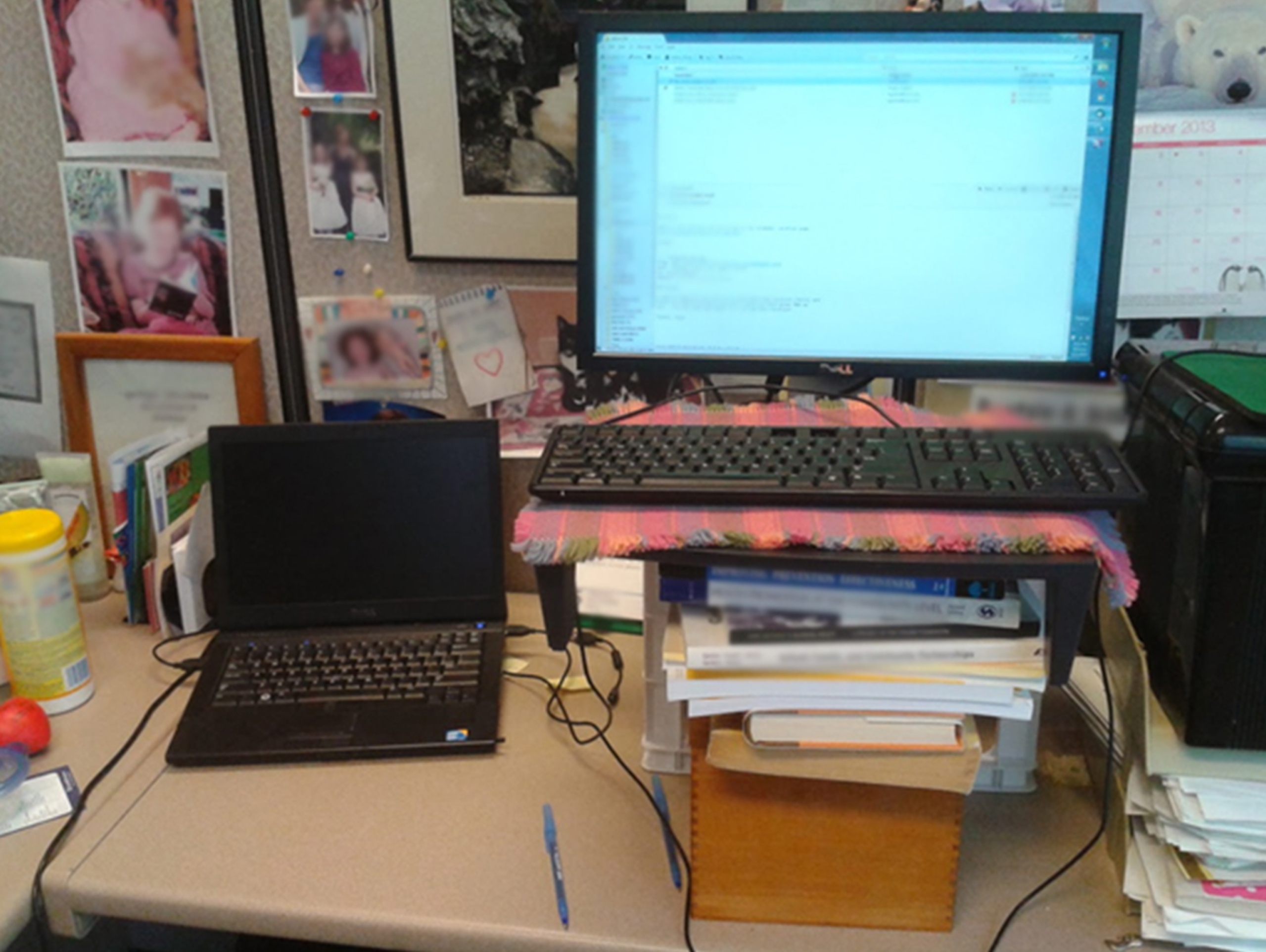
Sit-to-stand option on a budget: (side by side system) (photo ref N.G. Carlson).
Place one monitor at each height. Adjust the monitor to the preference of the user allowing them to view the screen without discomfort and accommodating specific corrective eyewear.
Use a wired keyboard and mouse at the desk height. Use a wireless keyboard and mouse at standing height.
With this configuration there is usually no need to provide additional electrical cords or connecting cables apart from the monitor connectors.
These units vary in cost from $650.00 to $1000 + USD.
Height range needs to be from 58.4 centimeters to 121.9 centimeters to accommodate ANSI standards [8]. Desks that are outside this range makes it difficult to accommodate certain individuals. A recent installation with a narrower height range resulted in shorter people using lab stools with extra high footrests. The taller individuals needed to place desk risers under the table legs to achieve the appropriate standing height.
Most of the units will come with an up and down controller. Incorporating a programmable controller allowing at least two heights for sitting and standing to be set by the user is desirable. Two additional heights are useful for different shoe heights and for writing on the desk which would be higher than typing.
There are safety considerations as some tables move into position at one touch of a height preset without the operator continually depressing the controller. Items in the path of the desk can be damaged or the table mechanism damaged as one side travels further up than the other side of the desk. Strongly consider purchasing models that require the button to remain pressed as the unit travels the desired distance.
Avoid installing sit-to-stand desks with a center pedestal. The center post precludes the possibility of using a footrest to improve posture or installing a keyboard tray if needed.
The electric base can be attached to existing desktops or with a new surface. This usually works if the desktops are 3.8 centimeters or less in thickness. For some individuals with long humorous arm bones we have had to install a thin keyboard tray onto the desk to prevent shoulder discomfort while typing. If a new top is required costs range from $175 on up. Top configurations are not restricted to a rectangular but can be fashioned to a custom shape or pattern.
Moderate time to transition from sitting to standing is typically 12 to 15 seconds based on a survey of electric desks in the showroom going from 66 to 104 centimeters. The space needed can be less than 3.3 square meters.
Mechanical sit-to-stand: Full desk
Has a cost from $500 – $1000. It allows a quicker transition from sitting to standing. More force than an electric desk needed to push desk down to seated height. Space can be limited to less than 3.3 square meters. The unit may have limited weight capacity.
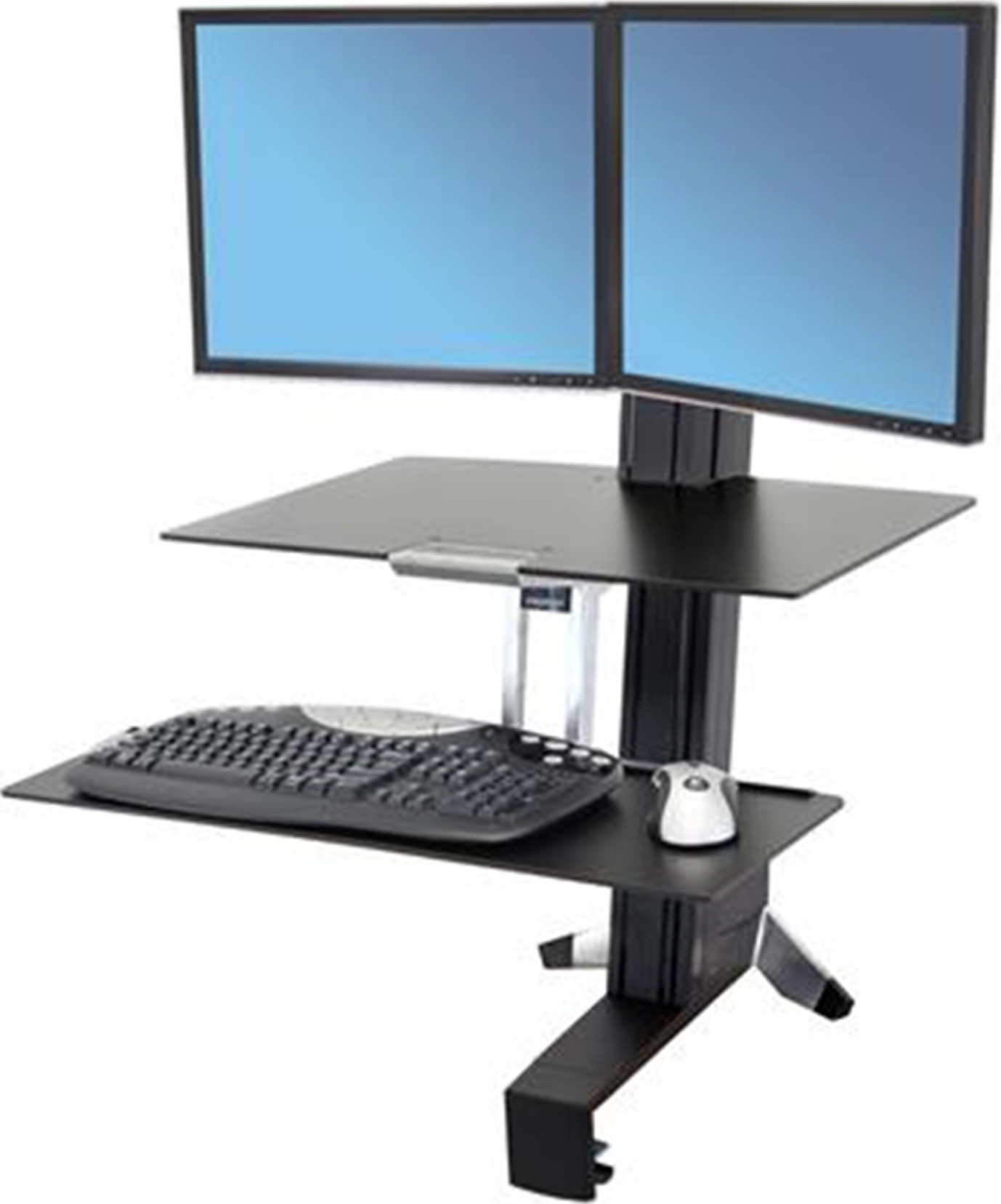
Workfit S ref (https://www.ergotron.com/en-us/products/product-details/33–349#/?color=black).

Workfit T ref: (https://www.ergotron.com/en-us/products/product-details/33–406#/?color=black).
Cost $250 – $700. Rapid transition from sit-to-stand (up and down in less than 5 seconds). Many designs allow for monitor to be vertically adjusted [9]. No electricity is needed. Comes in various styles: desktop stations (no assembly required), front-mounted, back-mounted. Considerations by type: Desktop stations (e.g. Workfit T, TL, TLE, Varidesk, AirRise, etc.) Limiting for shorter people unless desk top surface can be lowered (ideally) or an existing keyboard tray
1
can be used below the desk. This design can be problematic for individuals with bifocals as the monitor may be too high causing the person to tilt back their neck to view the monitor. Some newer models allow the typing surface to go below the desk (e.g. Workfit TLE). The problems for people with bifocals remain unresolved. Space to work with paper close to the keyboard is limited. May need footrest if relaxed elbow height is below the height of the keyboard and mouse. No assembly required. Set up takes approximately 5–30 minutes depending upon cord-management issues. Front-mounted (e.g. Workfit S, Ergo lift, etc.) or back-mounted These front-mounted desks allow the keyboard tray to go below the desk surface. The space for paper close to the monitor is limited. These units require more space in the cube or office behind chair to allow chair to be moved out of the way while the person is standing. Set up takes approximately one-hour costing $50 to $100 for a professional installation. The monitor height may not work well for neck posture.
Considerations for various other electronic devices
Laptops
Using laptops won’t work for long term typing without a keyboard [10]. The built in touch pad is problematic [11]. Most people need an additional pointing device for long term use [11]. The angle of the monitor on the laptop can cause neck strain because it is too low, and the screen is too small. Using a docking station for the laptop with multiple monitors will work better when opening multiple documents [12].
Tablets
There are problems with small screen size [13]. The touch screen keyboard is slow [14]. The tablet with one hand can cause hand and wrist discomfort [15]. The screen viewing angle is problematic for viewing.
Exercise while computing
Treadmill desks The high end treadmill desks have received considerable media attention [16–19]. They allow the computer user to work with the computer while walking at a deliberate pace. Aside from the admitted cardiovascular benefits there are practical problems with this solution [20, 21]. Cost: tread desks cost $650 + for treadmill plus adjustable desk $400+. Space consideration: The tread desk cannot be easily moved out of the way to allow a person to sit down. Another space with a computer keyboard and monitor needs to be set up. If the adjustable desk on wheels can be moved out of the way this would simplify the transition from sitting to standing. The need for a larger office footprint for a tread desk conflicts with building facilities owner’s desire to shrink office space. The Canadian guidelines for the maximum space for office worker who spends 60% or more at the desk is 4.5 square meters. For a 40% worker the space allocation is 3 square meters. Sanitation issues for shared tread desks [22, 23]. Many locations use hand wipes to disinfect between users. Electrical power use [24]. Manufacturers are currently advertising units with electrical power usage in their sales literature and specifications that need to include noise levels. Walking on a treadmill serves as a multitasking problem and the error rate for word processing increases [25–27]. Steppers or Exercise bikes Lower cost options for a treadmill desk that also take up a smaller footprint include using a stepper or a modified exercise bike. For the stepper, the cost is less than $100. The device has a small battery for keeping track of miles or steps but no electrical hook up. The device requires the standing portion of the desk to be at least 17–20 cm higher than elbow height. This limits the use where the floor to elbow height exceeds the maximum height of the keyboard tray. It is also difficult to type efficiently while using a stepper. An exercise bike costs more and the transition between a chair and the bike can be awkward with limited space.
Sit-to-stand desks budgeting and prioritizing
While initial investment in sit-to-stand desks can be expensive, employers can consider using sit-to-stand desks as a tradeoff for employees moving from lower density private offices to a higher density open office plan with lower cube walls. Employees appreciate the ability to improve their health at their workstation. Based on experience at the University, this transition will work better if employee concerns about office etiquette in this new space are addressed through an employee committee setting guidelines while soliciting feedback from workers in the new setting.
Various companies and Universities have prioritized access to sit-to-stand work stations [28]. Those individuals with medical conditions aggravated by sitting for prolonged periods of time are given priority. Departments then choose sit-to-stand options based on funding availability, amount of time spent at a workstation, and experience with other users in the department. Once one unit is installed in a department, other employees observe the benefits and began requesting sit-to-stand workstations. Based our University of Minnesota experience, if these changes are done without consulting an ergonomist, employees are at risk of injury or discomfort with the installation of desk top units that are too high, or electric bases that do not have the proper range.
Regardless of costs, there are concerns about individuals not setting the surfaces at the proper height or no longer using the stand part of the workstation after the newness wears off. Hall et al. examined factors associated with longer use, including “the social processes that underpin the use of sit-stand workstations and physical activity within the workplace” as well as the “influence of the sit-stand workstation intervention on physical activity during non-work hours” [29].
Investment in sit-to-stand desk allows for simpler accommodation in areas with shared workstations or positions with frequent staff turnover.
Sit-to-stand advice for users
These suggestions for maximizing the benefits of a sit-to-stand desk are based on personal experience and the advice given to participants in a large sit-to-stand study:
The adjacent desk with a fixed height often serves as an anchor point. Individuals will frequently line up the seated height so that it is level with this surface rather than adjust it to seated elbow height. This can be mitigated by specific in person training. Start slow, standing one to two hours a day total standing time up to a week or two. Focus on changing positions to sit less than 30 to 45 minutes at a time. Build up to a maximum of 4 hours per day over the course of a month. Sit down if the hips are starting to shift side to side or if tired. The seat of the chair can be used to rest one leg, or a foot stool to prevent a shift in hips. Bring unit back into the standing position when leaving for lunch and at the end of the day to begin the next day in the default standing position. Keep a pair of comfortable shoes at work for standing. Consider the use of a standing mat.
Considerations with the use of foot stool with a sit-to-stand desk This represents the problems with twisting the back by shifting of weight from hip to hip. Better balance and overall posture while standing. Can be implemented sitting or standing.
Considerations with anti-fatigue standing mats The mat can reduce the stress on the foot while standing [30]. The office worker must use good posture when moving the mat and transitioning to seating. The mat can be torn up by chair wheels. Assure that the mat has a gradual edge to prevent tripping. Liquid spills on the mats can make them slippery. Moisture can be trapped under the carpet if it is on grade or if placed on the floor to quickly after wet carpet extraction. The available moisture can contribute to microbial growth [31].
Conclusion
Sit-to-stand desk use will be expected to increase. Companies and employees will need to make thoughtful decisions about prioritizing who will get the sit-to-stand options, training for those using the new workstations and considerations for the design of office space.
Conflict of interest
None to report.
Footnotes
If a keyboard tray must be used: Use a wireless mouse and keyboard on the desk mounted unit keeping the wired mouse and keyboard on the below desk keyboard tray. When transitioning to standing, the monitor height will likely need to be raised, and the monitor pushed back to keep proper alignment.