



Abstract
BACKGROUND:
Performing common computer tasks such as pointing, clicking, and dragging requires repetitive movements that cause musculoskeletal disorders in the wrists and hands. Given the growing use of touch screens and touch pens, further studies on the ergonomics of these devices are needed. This study aimed to compare a touch pen and an ordinary computer mouse in terms of movement time, error rate, wrist posture, and comfort of use.
METHODS:
Performance parameters (movement time and error rate), wrist postures, and comfort when using a mouse and a touch pen were measured based on ISO 9241-9 standard with the help of 27 participants. For data analysis, paired t test was performed using SPSS version 22.
RESULTS:
Using the touch pen resulted in better performance parameters than using the mouse (p < 0.05). Wrist extension and flexion were lower when performing the task with the computer mouse than with the touch pen (p < 0.05). When using the touch pen to perform the task, ulnar deviation and radial deviation were lower (p < 0.05). The overall comfort was higher when using the mouse than the touch pen.
CONCLUSION:
Our results showed that the touch pen had better performance parameters than the ordinary mouse and also resulted in lower ulnar and radial deviations. Given the impact of habit and proficiency on users’ comfort in using input devices, it is reasonable to expect users becoming more comfortable by using touch pens on the long term.
Introduction
Today, working with computers is an inevitable part of our work and everyday life. Research has shown that in the European Union, one out of every two employees works with computers [1]. The extensive use of computers can be partly attributed to the broad utilization of information technology, which has become an important feature of many of today’s workplaces [2]. While experts on work physiology have long informed the public about the health issues stemming from physical pressures of static and dynamic work activities, it is an inescapable fact that technological progress has led to the domination of static work in most of our new workplaces [3]. Working with computers requires physical interaction with input devices like the mouse and keyboard. Common tasks performed with these input devices such as typing, pointing, clicking, and dragging require repetitive movements that cause musculoskeletal disorders in the wrists and hands [4]. It is estimated that about one-third to two-thirds of the time we work with computers, we are interacting with input devices to perform such tasks [5].
A computer mouse is a simple input device that, over the past decades, has cemented its place as one of the most widely used instruments for interacting with computers. However, working with this device puts the user at the risk of developing musculoskeletal disorders [6]. Today, many people rely almost completely on mice to work with computers. One study has shown that, on average, 62% of the time we work with computers is spent moving or clicking the mouse [7]. In a study by Cook et al., people who were working with mouse for more than 6 hours a day were found to be suffering from musculoskeletal disorders in the neck, shoulders, elbows, and wrists. This study found that such musculoskeletal disorders were stronger in users who were working with mouse for 6 to 8 hours a day. There was also a correlation between the use of mouse and the reported symptoms of musculoskeletal disorders [8]. Some studies have shown that too much clicking can also cause musculoskeletal disorders [9].
Workers’ compensation claims for musculoskeletal disorders associated with working with input devices currently make up a small portion of work-related compensations, but they are expected to increase in the future [10]. Although the mechanism of the development of musculoskeletal disorders when working with a mouse is not fully understood, holding wrists and fingers in poor postures for an extended period of time is known to be one of the risk factors for these disorders [11, 12]. It has been shown that exerting continuous pressure on the wrist while working with input devices increases the risk of developing carpal tunnel syndrome [13]. Poor wrist and hand posture while working with input devices is known to increase pressure on the median nerve [13]. Research has shown that working with a computer mouse exposes the upper limb to the risk factors for the development of musculoskeletal disorders. Also, wrist deviations have a greater impact on the development of carpal tunnel syndrome than ulnar deviations [9]. A study showed that using mice with flat tops caused ulnar deviation and increased the risk of musculoskeletal disorders [14]. A modern alternative to computer mouse is touch pen, which is used in many products such as tablets and e-readers as well as touch screen computers, where they can be used with dedicated software applications for specific purposes [15]. Today, many hardware manufacturers and software developers are modifying their products so that the typical tasks normally done with a mouse can be done with touch screens and touch pens [16].
So far, the ergonomic assessment of touch pens in comparison with other input devices has been the subject of only a few studies, which are far from sufficient, given the growing use of touch screens and pens in homes and workplaces. This study aimed to compare wrist posture, movement time, error rate, and comfort of use of a touch pen and a computer mouse.
Materials and methods
Participants
This study was performed with the participation of 27 people, including 12 women and 15 men, with the minimum age of 30 years and all the right-handed, who were working with computer for at least 20 hours a week. The study population included computer users in the Department of Health, Iran University of Medical Sciences. All participants were asked to fill out and sign the consent form before participation in the study. The method of the study was reviewed and approved by the Ethics Committee of Iran University of Medical Sciences (Ethical code; IR.IUMS.REC 1396.9511467005).
Procedures
The pointing devices compared in this study were a typical computer mouse (Genius) and a touch pen (Microsoft) (Fig. 1). All participants performed a standard task in normal body posture for 15 minutes. For this purpose, participants were asked to adjust their seats and perform the task while comfortably sitting at their workstation. For all participants, the ambient air temperature was 21°C and the ambient light intensity was 500 lux. To eliminate the effect of confounding factors, the order of assignment of pointing devices to participants was randomized so that neither the participants nor the experimenter knew the order in which devices would be tested. To eliminate the effect of learning, before the experiment, the participants were asked to practice doing the task several times with both devices.
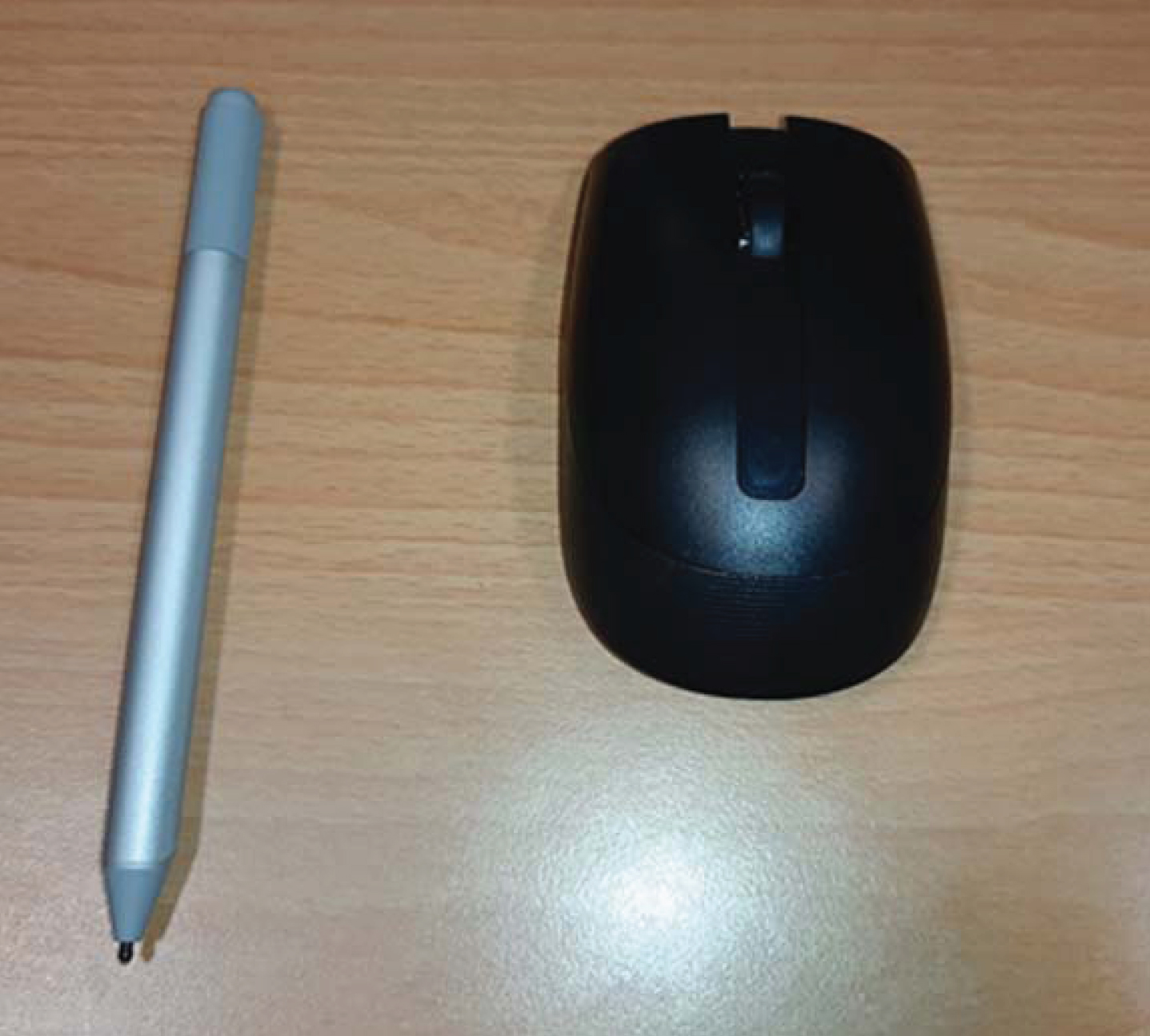
Input devices: computer mouse and touch pen.
Evaluations were performed by the use of a pointing task based on Fitts’s law and ISO 9241-9 Standard, which was designed in the form of a software application [17]. This Standard is used to evaluate the performance and comfort of input devices and provides a uniform and comprehensive means of evaluation in these respects [18]. The task involved asking the participants to click on the circles appearing on the screen and measuring the error rate (in percentage) and the movement time (in milliseconds). The positions of circles were based on combinations of 3 distances and 18 angles, with 18 trials for each combination. Thus, the total number of trials was 18×18×3 = 972, which needed about 15 minutes to complete [18]. The software was programmed to measure the task completion time (in seconds), which was from the start of the task until it was finished (Fig. 2).
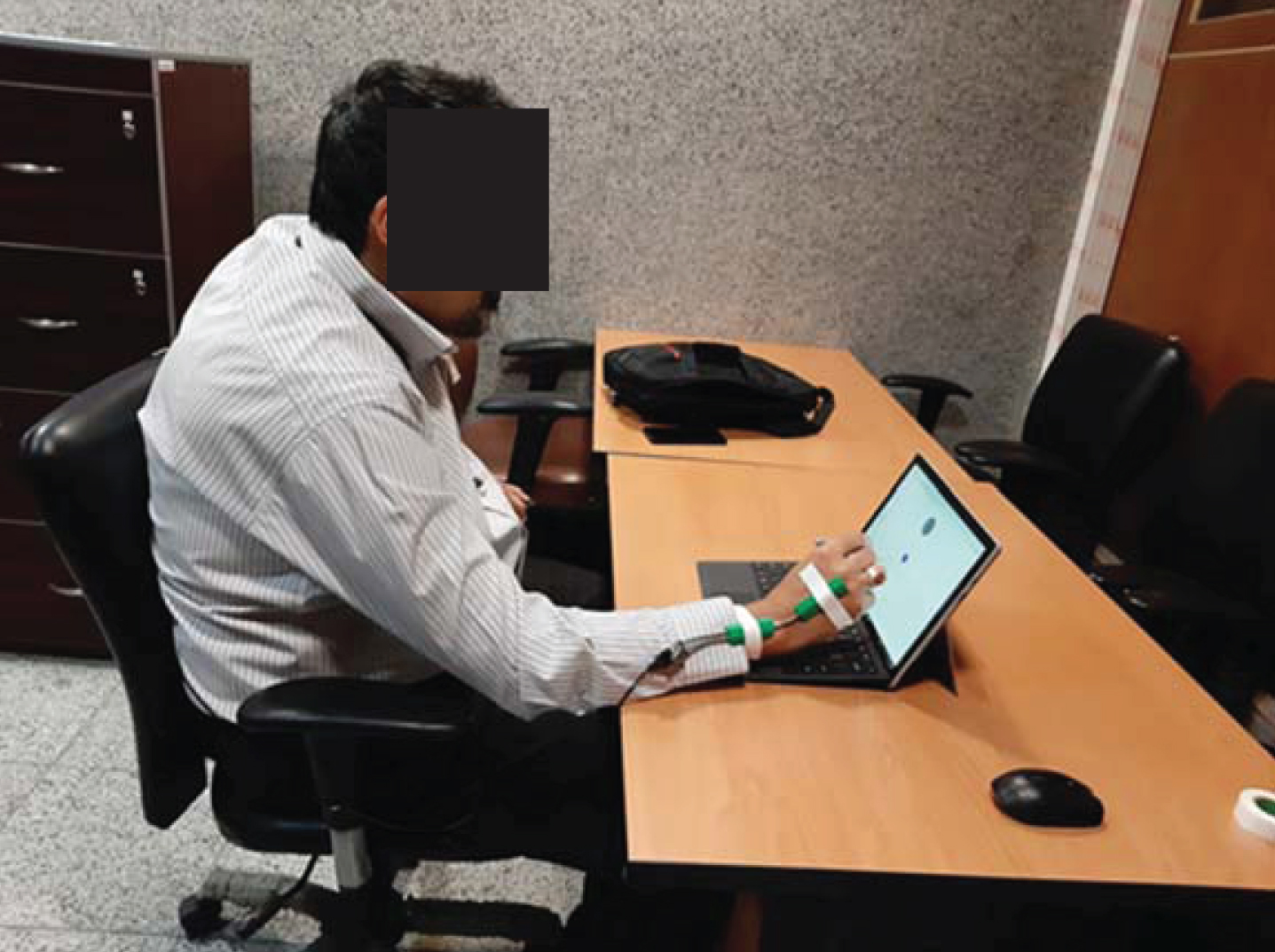
Ergonomic assessment of input devices based on ISO 9241-9.
Wrist angles were measured by an electrogoniometer (XM-65 Biometrics model) while the study participants were performing the assigned task with the mouse and touch pen. The pronation/supination movements of the hand were measured by an inclinometer (FAS-G Microstrain model), which was attached to the electrogoniometer [19]. Before the experiment, all sensors were calibrated as per the instructions of manufacturers [20] (Fig. 2).
Assessment of comfort of use
To assess the comfort of use of devices, at the end of each test, the participants were asked to rate the device in terms of comfort in clicking, comfort of the wrist and hand posture, and overall comfort of use on a 10-point visual analog scale. In this scale, lower numbers represented more comfort.
Data analysis
Data analysis was performed in SPSS version 22. The means of task completion time, error rate, and wrist deviation of the devices were compared using paired t test. In this study, p < 0.05 was considered statistically significant.
Results
According to demographic data, the participants had a mean age of 41.27±5.12 and 14.24±3.01 years of experience working with computers.
Table 1 presents the task completion time and error rate while using the mouse and the touch pen. As the results show, the mean movement time with the mouse and touch pen was 78.24 and 57.31 seconds respectively. The error rate for the mouse and touch pen was also 2.06% and 1.08%, respectively. Data analysis with paired t test showed a statistically significant difference between the devices in terms of mean task completion time and error rate (p < 0.05).
M (SD) of task completion time and error rate when working with the mouse and the touch pen (N = 27)
M (SD) of task completion time and error rate when working with the mouse and the touch pen (N = 27)
*Paired t test.
Table 2 shows the results of electrogoniometric measurements made when users were performing the task with the mouse and touch pen. The results showed that the wrist experienced less extension and flexion when working with the mouse than with the touch pen (p < 0.05). Ulnar deviation and radial deviation, however, were lower when using the touch pen (p < 0.05). There was no significant difference between mouse and touch pen in terms of supination and pronation of hand.
Comparison of wrist movements when performing the task with mouse and touch pen according to electrogoniometric measurements (N = 27)
*Paired t test.
Table 3 presents the participants’ rating of each device in terms of comfort of use. As Table 3 shows, there is a significant difference between the devices in terms of comfort in pointing, wrist postures, and overall comfort of use. Participants believed that it was more comfortable to click with the touch pen than with the mouse, but the wrist posture was more comfortable when working with the mouse. Overall, participants believed that, for the given task, the mouse was more comfortable to use than the touch pen.
M (SD) of comfort of use for the mouse and touch pen; lower values represent more comfort (N = 27)
*Paired t test.
This study aimed to investigate the performance parameters (movement time and error rate), wrist deviations, and comfort of use of touch pens in comparison with ordinary mice. Considering the mean age of participants (41.27±5.12 years) and their mean computer work experience (14.24±3.01 years), it can be stated that the population was a mixture of young and mature adults and was somewhat experienced in working with computers. Thus, the results may be considered valid for similar populations.
Evaluation of performance parameters showed that the movement time and the error rate with the touch pen were lower than with the mouse (p < 0.05). The study of Charness et al. on the effect of age and practice on the use of optical pen reported that an optical pen had better performance parameters than a mouse, which allowed older users to perform the task more quickly [21]. In this respect, the results of this study are consistent with the findings of Charness et al. The study of Martín-Albo et al. showed that it takes less time to write on a touch screen with an electronic pen than with other methods [22]. This result was attributed to the user’s better interaction with the touch screen when using the optical pen, which allows the user to write faster and more accurately. Similarly, it can be stated that better interaction of our participants with the touch pen resulted in lower movement time and error rate compared with the mouse.
In this study, the standard task was performed with a typical computer mouse. A study by Tang et al. reported that it was faster to complete the task with a computer mouse [23], which can be due to the mechanical nature of the interface. Hence, our results confirm the results of this study. In a study by Dehghan et al. on the performance of a new input device, the results showed that the good design of the device allows it to exhibit better performance than other devices [24–26]. In the present study, also, the ease of use of the touch pen can be one of the reasons for its better performance in terms of movement time and error rate.
Electrogoniometric measurements showed that the wrist experienced less extension and flexion when working with the mouse than with the touch pen (p < 0.05). This can be due to the relatively fixed position of the mouse during vertical movements. In contrast, ulnar deviation and radial deviation were lower when using the touch pen, which can be attributed to more movement of the hand in the horizontal motions. These results are consistent with the finding of Müller et al. who reported higher extension and flexion in the wrist when working with a normal mouse [27].
The results also showed that it is more comfortable to perform pointing with the touch pen (p < 0.05). However, participants expressed more comfort in hand/wrist posture when working with the mouse. Overall, comfort assessment showed that participants were more comfortable in using the mouse than the touch pen. Previous studies have shown that since most people across the world use ordinary mice, this device has been able to maintain its popularity among users, as they are more accustomed to working with a mouse than with any other input device. The study conducted by Müller et al. also reported that as users became accustomed to working with a pen mouse, performance and comfort parameters gradually improved. Hence, it can be argued that as users get used to working with touch pens, they are likely to get more comfortable using these devices.
Limitations
One of the limitations of this study was the limitation of financial resources and time consuming process of evaluations.
Conclusion
The main purpose of this study was to compare two input devices, mouse and touch pen, in terms of comfort and performance parameters. Assessment of performance parameters showed that the touch pen was significantly better than the mouse in this respect. However, the results of electrogoniometry showed lower wrist extension and flexion when working with the mouse than with the touch pen, though the opposite was true for ulnar and radial deviations. Overall, the study participants expressed that the mouse was more comfortable to use, probably because they have been used to working with this device for years. It can be expected that after getting accustomed to working with touch pens, users will feel more comfortable using these devices.
Conflict of interest
No potential conflict of interest was reported by the authors.
Footnotes
Acknowledgment
This work was supported by Iran University of Medical Sciences [grant no. 9511467005-2651].