




Abstract
Technology can be used to enhance the popular ideation strategy of brainstorming by increasing the number of responses students produce and delaying their evaluation of responses. Padlet and Post-it are two free apps that educators can use to enhance collecting and organizing students’ responses during brainstorming sessions.
Brainstorming is the best-known of the ideation processes for generating large quantities of new ideas (Dam & Teo, 2018). The ubiquitous practice of brainstorming was originally developed out of financial necessity by advertising executive, Alex Osborn. He used the process to save his New York advertising firm. During World War I, Osborn and two colleagues were successful war bond promotors. The advertising firm they founded with a fourth individual flourished until one of the partners left the firm in 1939 to start his own firm. Unfortunately, many of the firm’s clients followed the exiting partner. In desperation to rejuvenate the firm, Osborn began exploring ways to encourage employees to “think up” creative ideas. Ultimately, his “think up” process evolved into what we now know as brainstorming (Osborn, 1953). Brainstorming was Osborn’s solution to the reticence he observed when he asked his employees to propose new and unusual ideas in business meetings (Besant, 2016). Osborn’s strategy worked, and the firm thrived. Today, BBDO (Batten, Barton, Durstine, and Osborn) Worldwide employs over 15,000 people in 289 agencies across 81 countries.
The driving principle of Osborn’s brainstorming is deferred judgment: idea evaluation is postponed until later. Deferred judgment creates a receptive environment for new and novel ideas and a desire to find them. Osborn (1963) suggested that any type of criticism or evaluation (including praise for clever ideas during this ideation process) interferes with conceiving imaginative ideas. He suggested individuals cannot ideate and evaluate at the same time. The purpose of any brainstorming session is to generate an extensive list of possible problem solutions:
Osborn’s four ground rules were simple:
Criticism is ruled out: This is deferred judgment, which contributes to the creative atmosphere that is essential for uninhibited imaginations to work.
Freewheeling is welcomed: The wilder an idea is, the better it is. Seemingly outrageous ideas can lead to imaginative, yet effective, solutions. As Osborn noted, “It is easier to tone down a wild idea than to think up a new one.”
Quantity is desired: This principle reflects the purpose of the session: to produce a long list of ideas, which increases the likelihood of finding good solutions to the problem.
Combination and improvement are sought: This extends the idea list. During a brainstorming session, students are encouraged to spontaneously “hitchhike” or “piggyback” on each other’s ideas, with one idea inspiring another.
Brainstorming may be used in the classroom for (1) [learning]. . .brainstorming as an effective creative thinking technique, (2) practicing creative thinking (and thus strengthening attitudes and abilities), and, perhaps, (3) solving some pressing school problem, such as high absenteeism, messy school grounds, drug problems, traffic problems, bicycle thefts, raising money, selling play tickets, and so on. (Rimm et al., 2018, p. 184)
One way to add a new twist to brainstorming is to use technology. Kettler et al. (2018) suggested digital platforms can increase the number of ideas generated in brainstorming, as well as reduce the tendency to immediately evaluate ideas. Thus, technology extends the purpose of brainstorming, which is to produce many ideas, and also promotes the driving principle of deferred judgment. Savvy educators have a wide variety of apps at their fingertips to enhance brainstorming activities with their students (see Renard, 2017a). Educators can use technology to collect students’ ideas, as well as organize and evaluate the ideas students produce. Some apps work well for collecting ideas, but not organizing and evaluating them. Other apps work well for organizing ideas into mindmaps, but are less useful at gathering ideas across students and devices.
Padlet
Padlet is a popular app that meets both criteria: collecting ideas and sharing and evaluating ideas. Padlet has an easy process for inputting and organizing ideas that works well across a variety of devices. Teachers can create Padlet boards and shares the boards’ web addresses with their students. Students use their phones, iPads, Chromebooks, or other devices connected to the internet to contribute their ideas to a board. Teachers can restrict or allow their students’ right to rearrange and group the ideas they have generated. The free version of Padlet will work for many educators because it allows users to create up to eight boards, which can be reused.
After registering for a free Padlet account, the first step in creating a Padlet is to select a design from a set of design templates. For our example, we selected the Wall template (see Figure 1). Creators determine the Padlet title, description, and address. Padlet sets a unique web address for the Padlet by default, although most users choose simply to replace the address with one of their own. The web address for each board for a given Padlet account follows the format of http://padlet.com/[the user’s name]/[default combination of letters and numbers assigned by Padlet or a simple name selected by the creator].

Padlet design templates.
The board creator sets a variety of attributes from the Modify Menu on the right side of the Padlet screen. In addition to setting the appearance (e.g., background color) of the Padlet, Padlet creators select posting and content filtering settings, which educators will find particularly useful. The posting selections include options to display contributors’ names, to place new posts first or last on the board, and to permit students to comment and react to each other’s posts. Naturally, during the ideation phase of brainstorming, the comments and reactions options would be discouraged. The content filtering settings can be set to allow the teacher to screen students’ postings before they appear on the board and to use emojis to replace comments that the profanity filter deem inappropriate. Figure 2 shows the appearance, posting, and content filtering settings that are available for a board.

Padlet appearance and posting controls.
Once the Padlet is created, brainstorming begins as students with the Padlet web address post items to the board using their devices. The board creator can make their Padlets public or private and also require passwords. After users join the board, they may double click on a blank spot on the board or click on the large green + sign to start a post. A key feature of Padlet posts, in addition to text, is that posts can contain links, images, videos, sounds, and much more (see Figures 3 and 4).
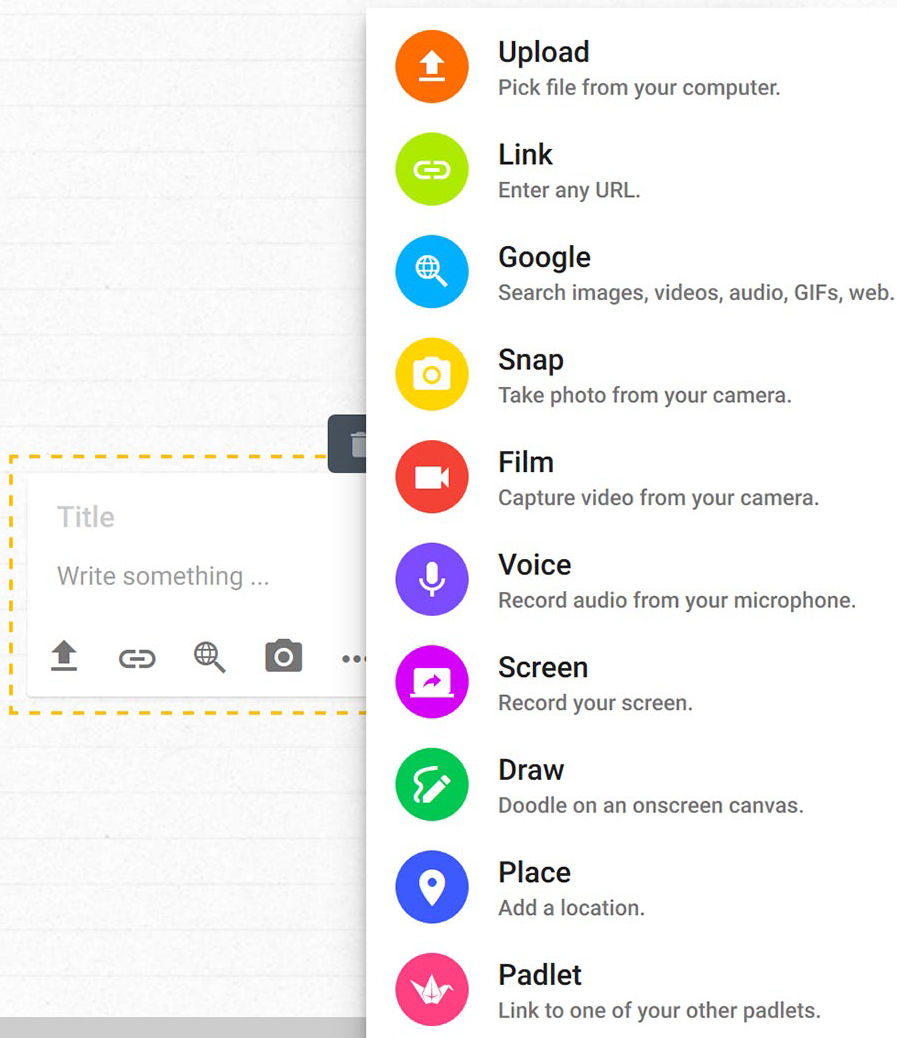
Possible post content.
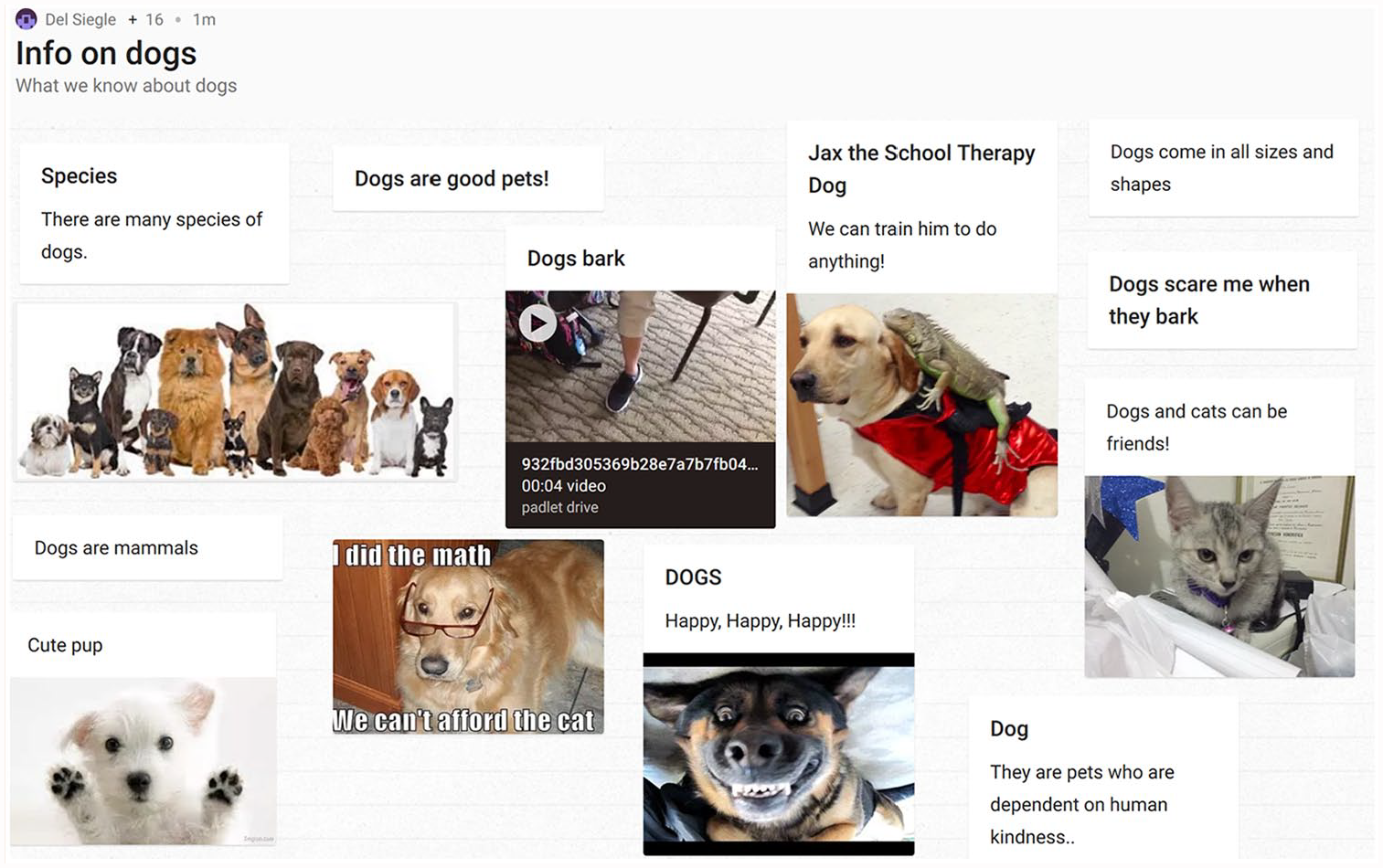
Collection of posts on a board.
During the evaluation phase of brainstorming, users can arrange the posts into groups, add comments, and delete duplicates or unwanted posts. Uses of Padlet within and outside brainstorming activities in the classroom abound, and are only restricted by clever educators’ and students’ imagination. For example, students can share information about their favorite book. Teachers can use it to pre-assess what students already know about a topic they are preparing to teach. Student can share current events. The list of possible uses is extensive (Renard, 2017b).
Post-it®
Another technology option for collecting and organizing students’ ideas is Post-it®. The free Post-it® app combines low tech with high tech. Student record their ideas on paper Post-it® notes (or any sticky notes) and paste them on a wall or table. Writing with a sharpie-like fine-point pen works best. Using the Post-it® app on a mobile phone or tablet, teachers or students take a photograph of the written notes using the Post-it® app (see Figure 5). Once the notes are captured, the Post-it® app digitalizes each note and allows users to change the color of a note, draw on the note (see Figure 6), add text to the note (see Figure 7), and rotate the note.
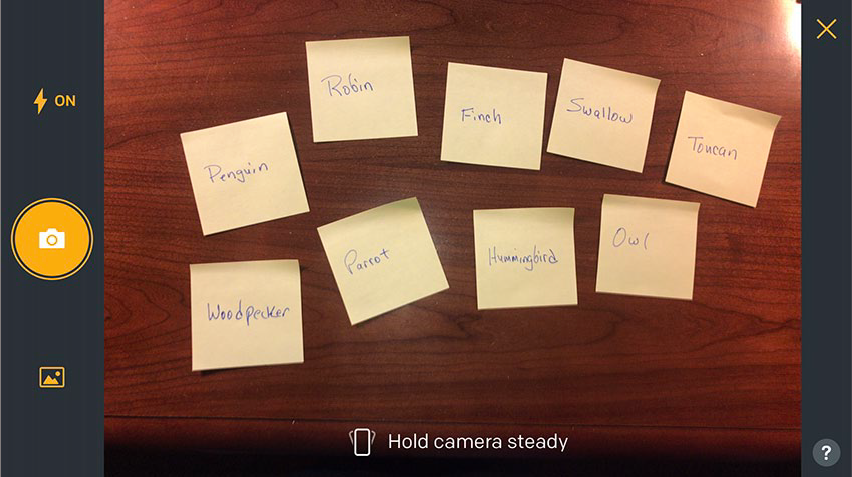
Photographing a set of Post-it® notes.

The edit feature includes options for changing note color and drawings on the note.

The edit feature allows users to add text to notes.
Different arrangements of the notes are easy with a simple tap. Individual notes can be moved by pressing on the desired note (it will enlarge; see Figure 8) and then moving it. The area containing the notes can be expanded and reshaped, and users who like neatly arranged rows can select a variety of convenient layout options (see Figure 9). Students can group and evaluate their notes, eliminating some ideas and adding comments to others to expand their ideas.
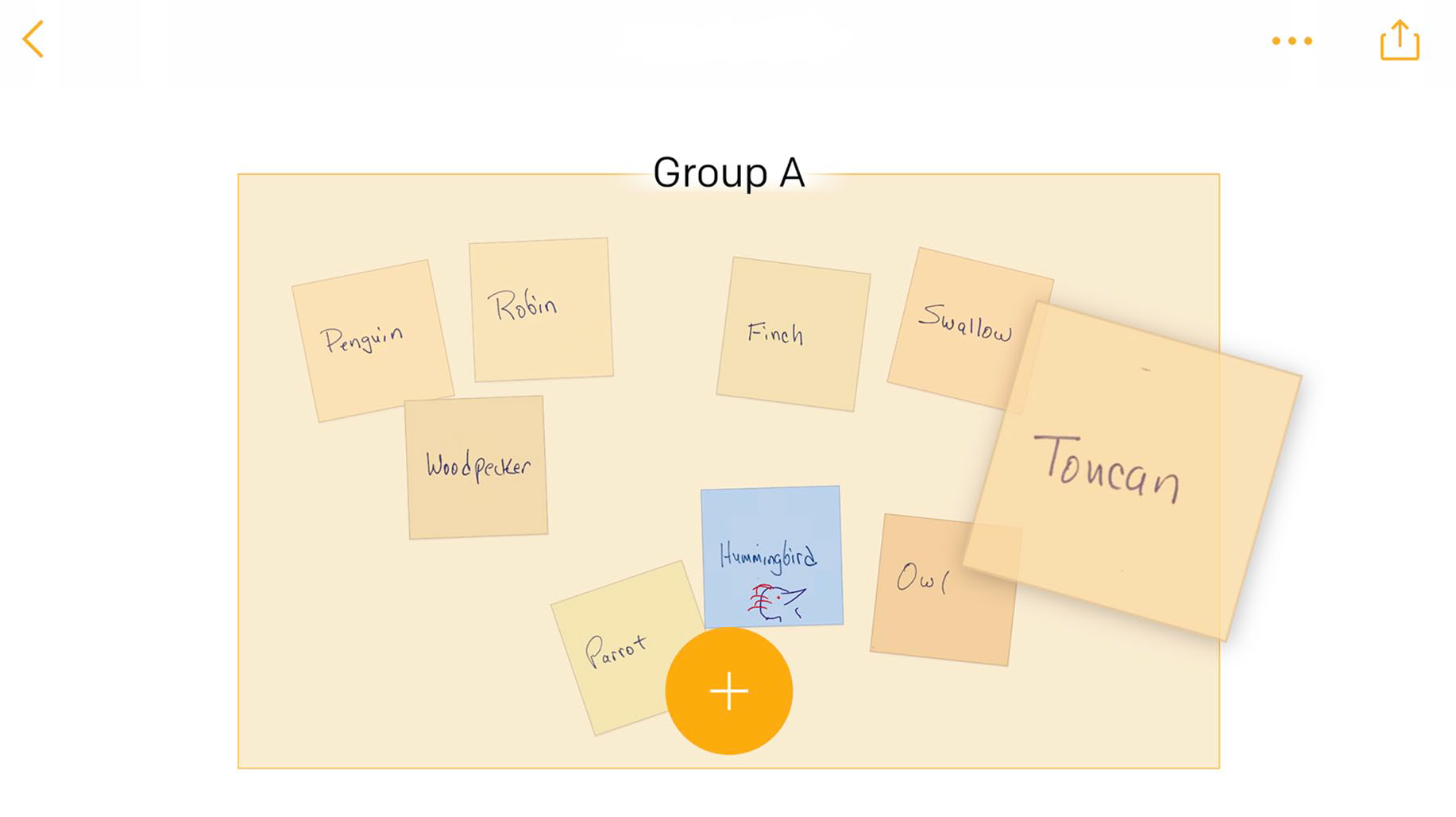
Select a note to be moved by pressing on it.
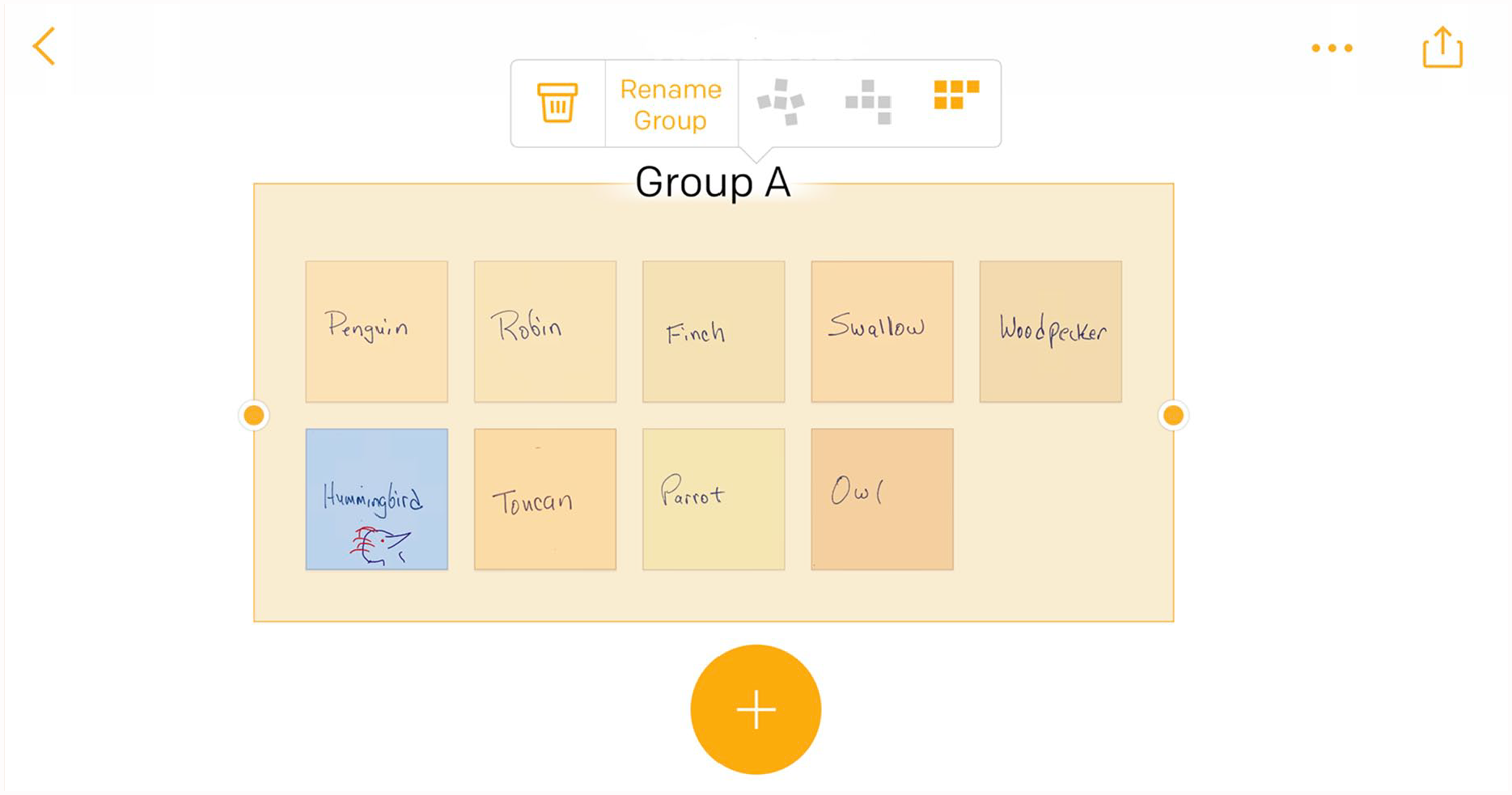
Reshaping the background and layout options.
The organized notes can be exported in a variety of formats (see Figure 10). The PowerPoint options produces a slide with the final note arrangement and a slide with the original image of the notes (see Figure 11). The Excel options includes an image of each note in the first column and a text translation of the handwriting on each note in an adjacent column (see Figure 12).
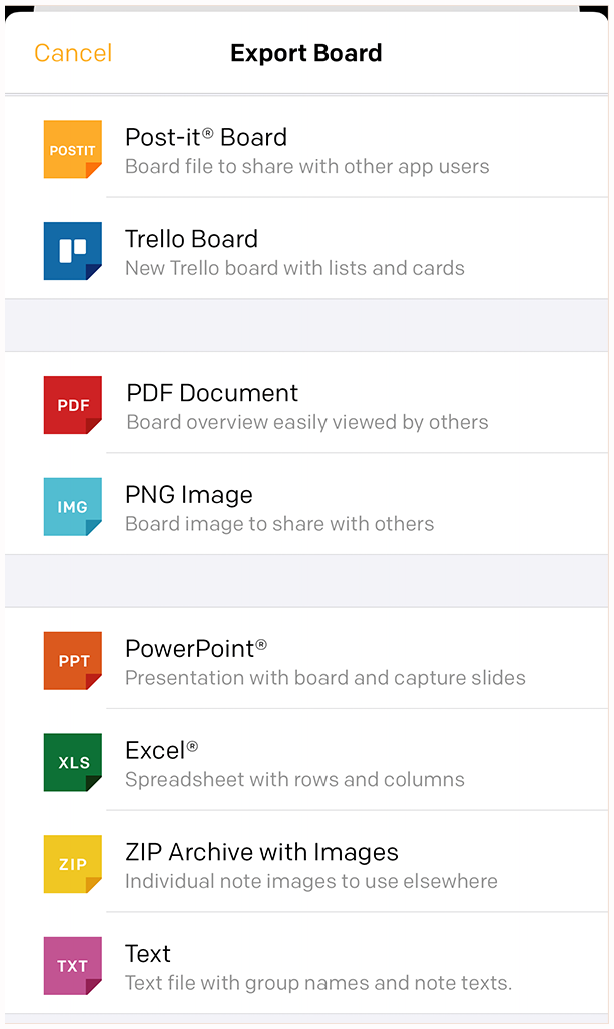
Post-it® output options.
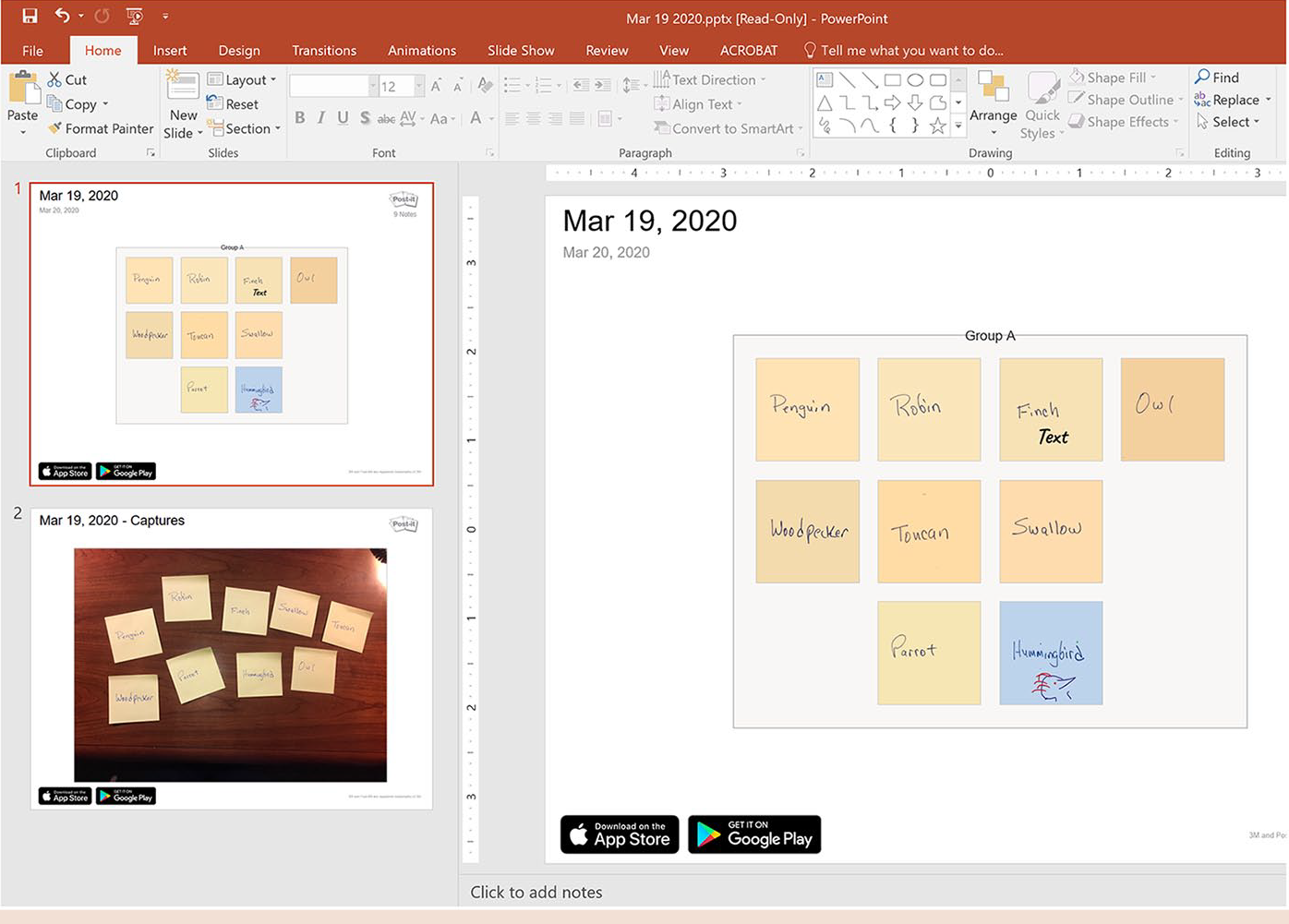
PowerPoint output.

Excel output.
Both Padlet and Post-it® are inexpensive, easily accessible options to promote brainstorming. In addition to being a useful strategies, brainstorming is an enjoyable and low-stress ideation strategy at which gifted students, particularly creative individuals, excel. By incorporating technology into the process, educators and students can expand the way they generate and evaluate ideas.
Footnotes
Conflict of Interest
The author(s) declared no potential conflicts of interest with respect to the research, authorship, and/or publication of this article.
Funding
The author(s) received no financial support for the research, authorship, and/or publication of this article.

Bio
Del Siegle is a professor in the Giftedness, Creativity, and Talent Development program at the University of Connecticut where he serves as director of the National Center for Research on Gifted Education. He is a former president of the National Association for Gifted Children.